

Quick Summary
SharePoint Server 2016 & 2019 end of support marks an important decision point for organizations still running these on-premises platforms. While your environment will continue operating after support ends, Microsoft will no longer provide security updates, bug fixes, or technical support. The best next step depends on your business goals, whether that means moving to SharePoint Subscription Edition, adopting SharePoint Online, or taking a phased approach. Successful migrations begin with discovery, business planning, and modernization rather than simply moving content from one platform to another.
If your SharePoint environment has been running quietly for years, it’s easy to believe there’s no urgency. That’s exactly why many organizations are caught off guard when end of support arrives.
Sites load, documents open, workflows run, and users continue their daily work. That can make end of support feel less urgent than it really is. Organizations that rely on custom solutions, including SharePoint professional services automation, should also use this opportunity to evaluate how those applications fit into their long-term modernization strategy.
Over time, many organizations have extended the life of SharePoint 2007, 2010, 2013, 2016, and 2019 well beyond Microsoft’s mainstream support periods. Eventually, every organization reaches the same point.
The conversation changes.
It stops being about new features. It stops being about user adoption. It stops being about whether SharePoint is still “good enough.”
It becomes a conversation about business risk.
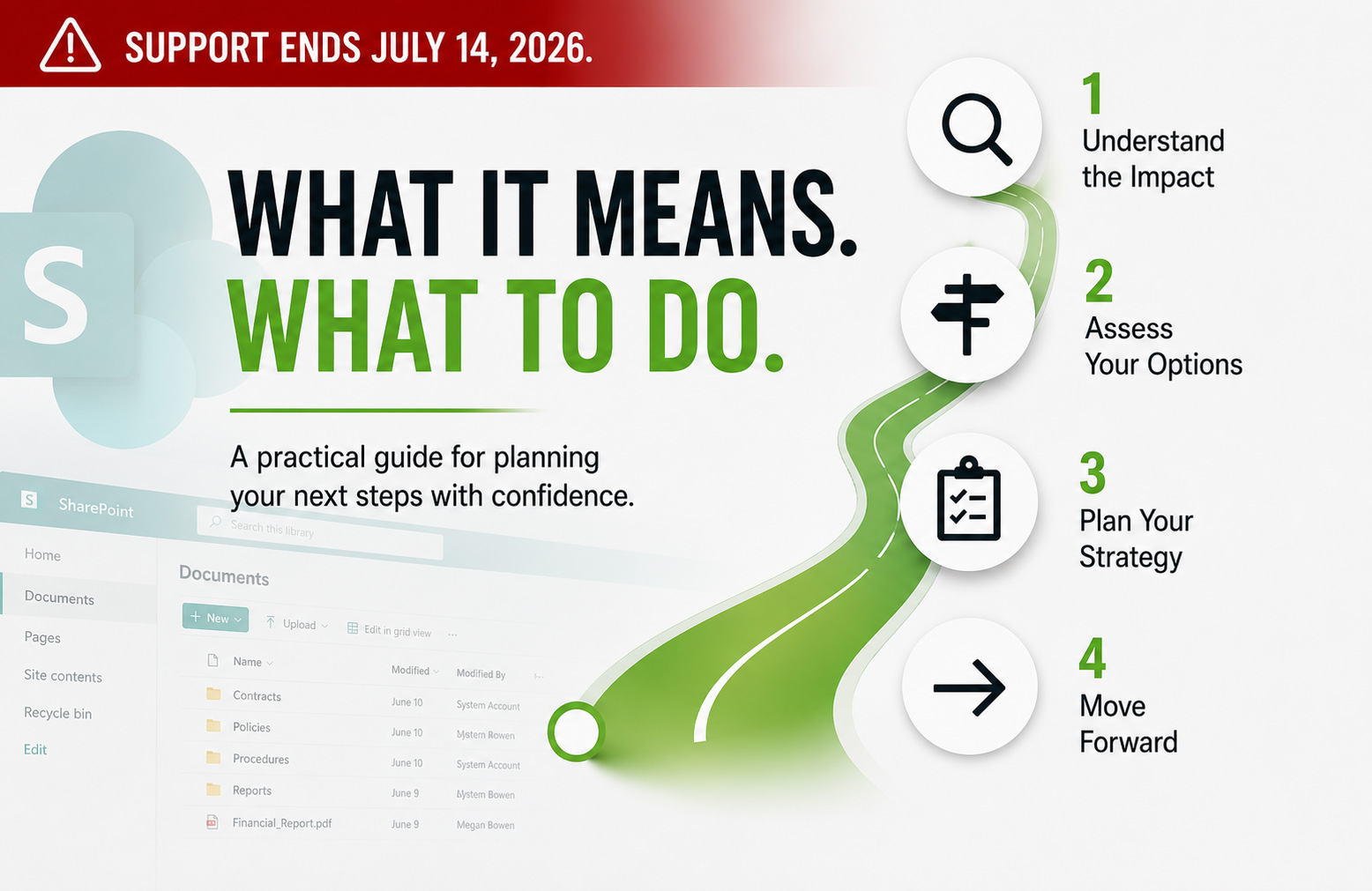
On July 14, 2026, Microsoft ends support for both SharePoint Server 2016 and SharePoint Server 2019.
For many organizations, SharePoint Server 2016 & 2019 end of support is not simply another upgrade deadline. It is an opportunity to evaluate how SharePoint supports the business today, where Microsoft is investing for the future, and whether maintaining an on-premises environment still aligns with long-term goals.
This article explains what end of support really means, what options are available, and which questions your organization should answer before planning its next move.
What Does SharePoint Server 2016 & 2019 End of Support Actually Mean?
End of support does not mean your SharePoint farm shuts down.
Users will still access documents. Sites will still load. Workflows that function today may continue functioning after the deadline.
What changes is Microsoft’s support.
After July 14, 2026, Microsoft will no longer provide security updates, bug fixes, technical support, or non-security hotfixes for SharePoint Server 2016 and 2019.
That means your organization must decide whether the operational, security, and compliance risks of running unsupported software are acceptable.
That decision rarely belongs to IT alone.
It’s No Longer Just a SharePoint Decision
Once Microsoft support ends, the conversation expands beyond technology.
Security teams begin evaluating cyber risk. Compliance teams review regulatory obligations. Executive leadership considers operational exposure. Finance evaluates future investment. Legal teams may review contractual or cyber insurance requirements.
At that point, this is no longer just a SharePoint decision.
It is a business decision.
Why This Matters More Than Ever
Microsoft’s long-term direction is clear.
New capabilities continue arriving across Microsoft 365 services, including SharePoint Online, Microsoft Teams, Power Automate, Power Apps, Planner, and Microsoft 365 Copilot.
Organizations that need to remain on premises can still operate supported environments through SharePoint Subscription Edition. For some organizations, that will be the right path.
However, Microsoft’s innovation strategy continues to prioritize cloud-first services and connected Microsoft 365 experiences.
That does not mean every organization should move to the cloud immediately. It does mean every organization should understand the long-term direction before deciding where to invest.
A Recent Reality Check
One of the easiest ways to delay a migration is to think, “Our SharePoint environment has been running fine for years.”
That may be true.
Until it is not.
Every year, organizations face ransomware attacks, security incidents, infrastructure failures, audit findings, and compliance pressure. These events can quickly move modernization from a future project to an immediate priority.
Unsupported software doesn’t cause cyberattacks. It removes one of your organization’s strongest defenses when they do happen.
Nobody wants to plan a migration during an emergency.
The organizations with the most options are usually the ones that begin planning before they are forced to act.
Your Options Moving Forward
Organizations evaluating SharePoint Server 2016 & 2019 end of support generally have three realistic paths to consider.
Option 1: Move to SharePoint Subscription Edition
For organizations that need or prefer to remain on premises, SharePoint Subscription Edition provides a supported platform and is often the most straightforward migration path.
It allows organizations to modernize while minimizing operational change and preserving investments in existing infrastructure.
However, it is important to understand Microsoft’s long-term direction. Some capabilities from previous on-premises versions have been deprecated or removed, while Microsoft’s newest collaboration and productivity investments continue appearing first in Microsoft 365.
SharePoint Subscription Edition is often the right answer. It simply should not be viewed as the end of the conversation.
Option 2: Move to SharePoint Online
Organizations already embracing Microsoft 365 often find SharePoint Online aligns naturally with their broader digital workplace strategy.
Moving to SharePoint Online provides access to Microsoft’s cloud-first innovation, including tighter integration with Teams, Power Automate, Power Apps, Planner, Microsoft 365 Copilot, and other connected services.
For many organizations, the migration becomes much more than replacing a SharePoint server.
It becomes an opportunity to modernize how employees collaborate and automate business processes.
Option 3: Delay the Decision
Some organizations will decide not to migrate immediately. That may be a valid business decision.
The important part is ensuring leadership understands the risks associated with continuing to operate unsupported software. Choosing to delay should be an informed decision rather than the result of simply running out of time.
One Thing We’ve Learned
After decades of planning and executing SharePoint migrations, we’ve learned one consistent lesson: the technology is usually the easy part. Understanding what the business actually depends on is where the real work begins.
Too often, organizations begin comparing migration tools before they’ve answered much larger questions.
Which sites still provide business value?
Which departments still use their content?
Which customizations should be modernized?
Which workflows still support active business processes?
Those decisions determine the success of the migration far more than the software used to execute it.
Do You Really Need to Migrate Everything?
One of the most expensive assumptions organizations make is believing every SharePoint site deserves to be migrated.
Just because something can be migrated doesn’t mean it should be.
A migration project is one of the few opportunities you’ll ever have to clean up years of accumulated content.
Take advantage of it.
Many organizations discover inactive sites, duplicate content, abandoned workspaces, and outdated business processes that no longer provide value.
Reducing unnecessary content before migration often reduces project cost, shortens timelines, and creates a cleaner environment for users moving forward.
Discovery Comes Before Migration
One of the first questions organizations ask is, “Which migration tool should we use?”
In reality, that’s usually one of the last questions that should be answered.
The first step is understanding your environment. That means identifying which sites are still actively used, which departments own the content, which workflows support operations, which customizations still provide value, which third-party solutions require planning, and which content should be archived instead of migrated.
One of the first things we often review is when content was last accessed. Organizations are frequently surprised to discover that significant portions of their SharePoint environment have not been used in years.
That does not automatically mean the content should be deleted. It does create an opportunity for meaningful business conversations.
Does this site still serve a purpose? Should it be archived? Can it be reorganized? Does anyone still own it?
Microsoft’s SharePoint Migration Assessment Tool can help identify large lists and libraries, unsupported customizations, and other potential migration challenges before migration begins.
Large lists and libraries are often where organizations face some of their biggest migration decisions. It is common to discover content that no longer provides business value, needs to be reorganized, or is better archived than migrated.
As those decisions are made, what initially looked like one massive migration often becomes a series of smaller, more manageable projects.
Large migrations are not successful because they move faster.
They’re successful because the business gains a clearer understanding of what actually needs to move.
Expect the Plan to Change
Migration planning does not happen once.
Good migration plans evolve.
Business priorities change. Departments reorganize. Projects are delayed. Leadership changes direction. New requirements emerge. Content continues changing while the migration is underway.
Rather than treating migration planning as a one-time exercise, successful organizations review progress regularly and adjust as they learn more.
Discovery naturally raises new questions. The answers to those questions influence future migration decisions.
That is not a sign the project is failing.
It is a sign the organization is making informed decisions instead of assumptions.
The best migration plans do not resist change.
They expect it.
Modernization Is More Than Moving Content
Many organizations view migration as moving content from one platform to another.
Modernization goes much further.
It asks whether a business process can be simplified, whether information can be organized better, whether permissions can be improved, whether a workflow should be redesigned instead of recreated, and whether Microsoft 365 capabilities can replace older custom solutions.
One of the biggest opportunities during migration is replacing older technologies with modern capabilities.
Legacy SharePoint Designer workflows, InfoPath forms, and aging customizations often require significant effort to maintain.
Rather than rebuilding everything exactly as it exists today, organizations should evaluate whether newer Microsoft 365 services can create a better long-term solution.
Modernization is not about replacing technology for the sake of replacing technology. It’s about improving how people work, simplifying business processes, and preparing your organization for the future.
Custom Solutions Require Early Planning
Not every SharePoint customization can be migrated the same way. Traditional SharePoint WSP farm solutions cannot be migrated directly to SharePoint Online because the underlying server-side architecture is not supported in Microsoft’s cloud.
However, many of those same solutions can often continue operating when upgraded to SharePoint Subscription Edition.
Third-party web parts and business applications should also be evaluated as early as possible.
Some vendors offer migration or modernization paths. Others have shifted entirely toward cloud-native solutions. Waiting until migration weekend to evaluate those dependencies creates unnecessary project risk.
Think of it like moving into a new house. Nobody moves the dishes before the kitchen cabinets are installed.
The same principle applies to SharePoint.
Before moving content that depends on custom solutions, make sure the destination environment is ready to support it.
The migration does not start with moving content. It starts with preparing the destination.
Workflows Deserve More Than a Simple Migration
Workflows often represent years of business knowledge.
Treating them as technical objects instead of business processes is one of the biggest mistakes organizations make.
Legacy SharePoint Designer workflows and older workflow models need careful review before migration. In some scenarios, Microsoft’s SharePoint Migration Tool can help migrate workflow components to Power Automate, but not every action, dependency, or business rule will translate cleanly.
That means workflow migration should not be treated as a simple copy-and-paste exercise.
Instead of asking only whether the workflow can be migrated, ask whether the business process should be improved.
Power Automate offers capabilities that were not available when many legacy workflows were originally created.
Migration is often the right time to modernize those processes instead of recreating yesterday’s limitations.
Do not just migrate the workflow. Improve the business process.
Choosing the Right Migration Tool
One of the most common questions organizations ask is:
“Which migration tool should we use?”
It’s an important question, but it’s usually asked too early.
The better question is:
“What are we trying to accomplish?”
Microsoft’s SharePoint Migration Tool (SPMT) has matured significantly over the years and is an excellent choice for many straightforward migration scenarios.
As environments become more complex, commercial migration platforms such as ShareGate and Quest Content Matrix provide capabilities that may simplify planning and execution. These capabilities can include advanced reporting, restructuring content during migration, metadata preservation, incremental migrations, detailed validation, and tenant-to-tenant migration support.
Neither approach is universally better.
The right tool depends on your environment, business requirements, governance objectives, and migration complexity.
A migration tool doesn’t guarantee a successful migration.
It simply helps execute a well-planned one.
The Biggest Mistake Organizations Make
The biggest mistake isn’t selecting the wrong migration tool.
It’s starting with the migration tool before understanding the business.
Organizations often spend weeks comparing features, licensing, and pricing before answering much more important questions.
What still provides business value?
What should be retired?
What should be archived?
What should be modernized?
Who owns the content?
Those decisions influence every part of the migration.
Successful migrations begin with discovery.
They continue with business decisions.
Only then should the migration technology be selected.
Technology supports the migration.
It doesn’t define it.
What Success Really Looks Like
Many organizations measure migration success by technical statistics alone.
How many files moved?
How many sites were migrated?
How many migration errors occurred?
Those metrics are important.
They simply aren’t the whole story.
A successful migration means users can continue doing their jobs with confidence.
Business processes continue operating.
Information is easier to find.
Governance is stronger.
Security is improved.
The environment is easier to support.
Leadership has confidence in the platform moving forward.
Success isn’t measured by how much content moved.
It’s measured by how much business value was preserved and improved.
The best migrations don’t just move content.
They leave the organization in a better place than where they started.
Schedule Your Complimentary 30-Minute SharePoint Strategy Session
Every SharePoint environment is different.
Some organizations are ready for SharePoint Online. Others are better served by SharePoint Subscription Edition.
Many simply need to understand what they have before deciding what comes next.
If you’re unsure where your organization stands, start with a conversation. During your complimentary 30-minute SharePoint End of Support Strategy Session, we’ll help you:
- Assess your current SharePoint environment
- Review end of support risks and Microsoft’s support lifecycle
- Compare SharePoint Subscription Edition and SharePoint Online
- Discuss migration planning considerations
- Evaluate workflows, customizations, and third-party solutions
- Review governance, security, and compliance considerations
- Identify practical next steps based on your organization’s goals
Whether you need strategic guidance, SharePoint consulting services, or end-to-end migration support, we’ll meet you where you are and help you choose the approach that best fits your organization.
No sales pressure.
No obligation.
Just practical guidance from consultants who have spent decades helping organizations plan and execute successful SharePoint migrations.
Schedule your complimentary 30-minute strategy session today.
Conclusion
SharePoint Server 2016 and 2019 reaching end of support represents much more than another technology milestone.
It’s an opportunity to evaluate years of accumulated content, modernize business processes, strengthen governance, and align technology investments with your organization’s long-term goals.
Some organizations will choose SharePoint Subscription Edition.
Others will move directly to SharePoint Online.
Some will adopt a phased modernization strategy.
There isn’t one answer that fits every organization.
What matters is making informed business decisions before the migration begins.
Start with discovery.
Understand what the business actually depends on.
Build a realistic roadmap.
Select the technology that supports your long-term strategy.
Because in the end…
A successful SharePoint migration isn’t measured by how much content moved.
It’s measured by how well your organization is prepared for what comes next.