
Quick Summary
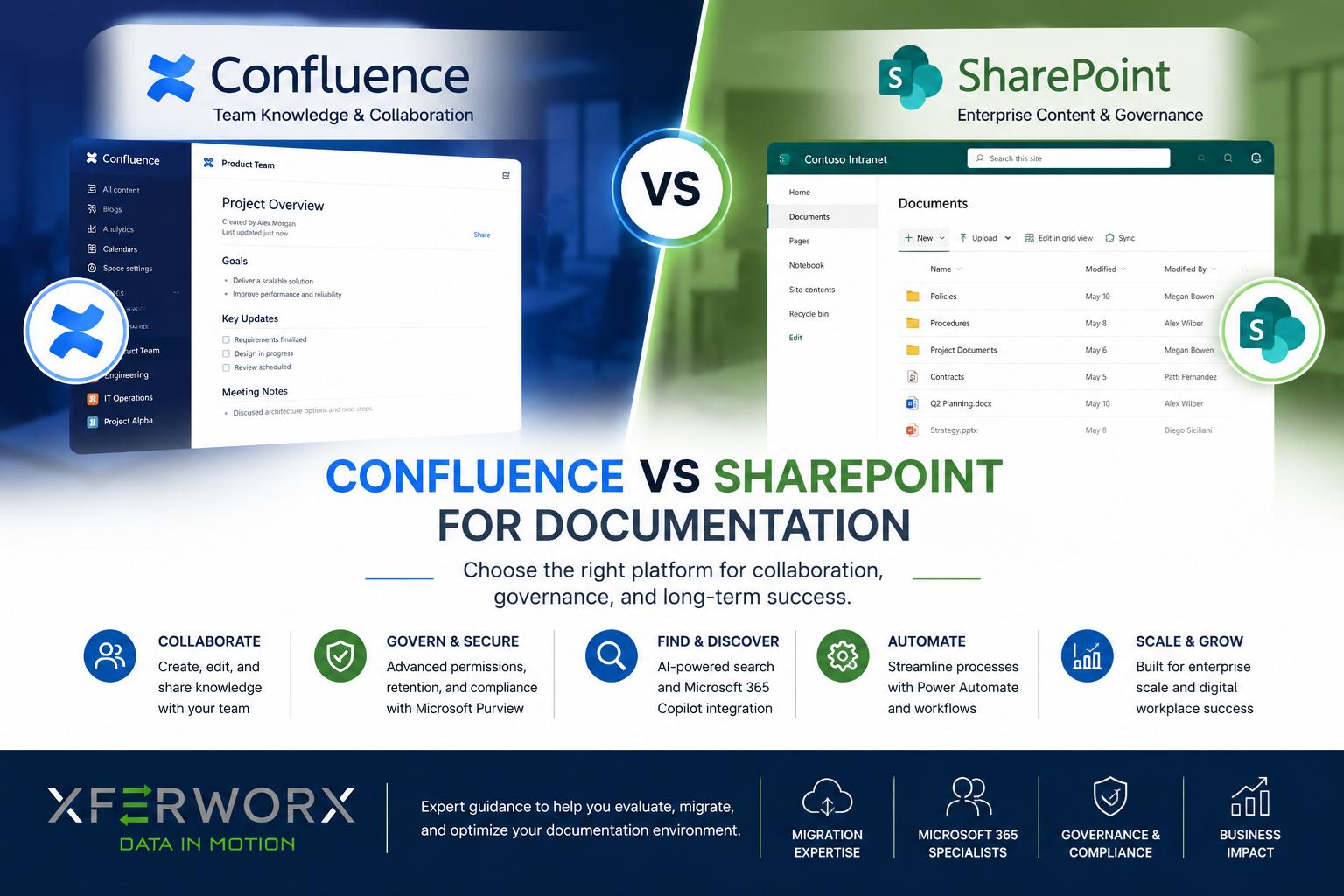
When comparing Confluence vs SharePoint for documentation, the right choice depends on your organization’s workflows, collaboration needs, and technology ecosystem. Both platforms offer robust document management and knowledge-sharing capabilities, but they serve different purposes. Confluence excels as a collaborative knowledge base, while SharePoint provides a comprehensive document management and business process platform within Microsoft 365.
The debate around Confluence vs SharePoint for documentation is common among organizations looking to improve knowledge management, collaboration, and document control. As businesses generate more content and rely on distributed teams, having a centralized platform for documentation becomes increasingly important.
Both Confluence and SharePoint are widely used by organizations worldwide, but they were designed with different objectives in mind. Confluence focuses heavily on team collaboration and knowledge sharing, while SharePoint combines document management, intranet capabilities, workflow automation, and enterprise content governance. Our SharePoint consulting services help organizations streamline collaboration, improve document management, and maximize the value of their Microsoft 365 environment.
What Is Confluence?
Confluence is a collaboration and documentation platform developed by Atlassian. It is designed to help teams create, organize, and share knowledge in a centralized workspace. Many software development, project management, and agile teams use Confluence alongside Jira to document projects, processes, meeting notes, and technical information.
One of Confluence’s greatest strengths is its user-friendly editing experience. Teams can quickly create pages, link related content, and collaborate. The platform encourages open knowledge sharing and makes it easy to build interconnected documentation structures.
What Is SharePoint?
SharePoint is Microsoft’s enterprise content management and collaboration platform. It serves as a central hub for document storage, content management, intranet development, and business process automation.
As part of the Microsoft 365 ecosystem, SharePoint integrates with Microsoft Teams, Outlook, Word, Excel, Power Automate, and other Microsoft applications. Organizations can create a connected digital workplace where documents, workflows, and communication tools work together.
SharePoint extends beyond documentation platforms like Confluence into enterprise-wide information management, governance, compliance, and operational efficiency. Organizations use SharePoint to manage policies and procedures, project documentation, and company-wide knowledge bases.
SharePoint Premium and AI-Powered Content Management
SharePoint Premium, formerly known as Microsoft Syntex, adds AI-powered capabilities to how organizations manage content. These features go beyond basic storage and into how information gets processed, understood, and organized:
- Document processing: AI models can extract data from forms, contracts, and structured documents, reducing manual data entry.
- Content understanding: SharePoint Premium can classify and tag documents based on their content, making large libraries easier to organize and search.
- Advanced document management: Features such as automated metadata tagging and content assembly help organizations manage large volumes of documents with less manual work.
Surfacing Content Through AI Search and Copilot
Many organizations now want documentation and content accessible through AI-powered search and Copilot experiences rather than traditional folder navigation alone.
Microsoft Search indexes content across SharePoint, Teams, Outlook, and other Microsoft 365 applications. It gives users a single search experience across the platforms they already use daily.
Microsoft 365 Copilot builds on this foundation, using SharePoint content as a data source to answer questions, summarize documents, and generate content based on an organization’s own information.
These tools depend on properly managed permissions and metadata, so organizations planning a Copilot rollout benefit from reviewing their SharePoint governance and content structure in advance.
Confluence Vs. SharePoint for Documentation: Key Differences
Although both platforms support documentation, they approach the task differently.
Confluence emphasizes content creation and collaboration. Teams can easily draft documents, leave comments, edit pages simultaneously, and create structured knowledge repositories. Its interface is intuitive and encourages active participation from users.
SharePoint focuses on document lifecycle management and organizational control. Businesses can implement permission structures, version control policies, metadata frameworks, retention rules, and automated workflows. This makes SharePoint particularly valuable for organizations with strict compliance and governance requirements.
Teams seeking a collaborative wiki-style environment often find Confluence feels more natural. Organizations that need secure document management and enterprise-scale content governance often find SharePoint provides a solid foundation.
SharePoint tends to work best for organizations already invested in Microsoft 365, since it connects directly with tools like Teams, Outlook, and Power Automate. Organizations standardized on Atlassian products such as Jira and Confluence may find that platform better suited to their existing workflows and integrations.
Collaboration and User Experience
Collaboration plays a critical role in documentation success.
Confluence was built specifically to encourage collaborative content development. Users can easily create, edit, comment, and organize information. The platform’s layout promotes transparency and knowledge sharing, making it popular among technical teams and project groups.
SharePoint also supports collaboration but through a broader ecosystem. Documents can be co-authored in Microsoft Word, shared through Teams, and managed through SharePoint libraries. While collaboration is powerful, it may require users to work across multiple Microsoft applications.
For organizations already invested in Microsoft 365, SharePoint’s collaborative capabilities often feel seamless because employees are already familiar with the tools involved.
Document Management and Governance
Documentation is not just about creating content. It is also about controlling, protecting, and maintaining information over time.
This is where SharePoint frequently outperforms Confluence.
SharePoint offers advanced document management capabilities, including permissions, approval workflows, document retention policies, version history, metadata tagging, and records management. These features help organizations maintain compliance and keep information accurate and secure.
Microsoft Purview adds several capabilities that many regulated organizations rely on when choosing SharePoint over Confluence:
- Retention labels: Content gets retained or deleted automatically based on rules tied to regulatory or business requirements.
- Sensitivity labels: Documents get classified based on confidentiality level, applying protections such as encryption or access restrictions.
- eDiscovery: Legal and compliance teams can search across SharePoint content to locate and preserve information needed for investigations or litigation.
- Legal hold: Content associated with an active investigation or legal matter is preserved and protected from deletion or modification.
- Audit logging: Organizations gain visibility into user activity, including who accessed, edited, or shared specific documents.
Regulated industries such as healthcare, government, and financial services often depend on these tools to meet compliance obligations that Confluence does not address at the same depth.
Confluence provides version tracking and access controls, but its governance capabilities generally fall short of what SharePoint offers. SharePoint includes records management features that classify and preserve documents in accordance with organizational policy. It also comes along with retention labels that automatically retain or delete content based on regulatory requirements.
Organizations operating in regulated industries such as healthcare, government, construction, or financial services often find SharePoint better suited to their compliance needs.
For businesses where compliance and information governance are critical, SharePoint provides greater long-term control over documentation assets.
Integration and Scalability
Technology ecosystems often influence platform selection.
Confluence integrates effectively with Atlassian products such as Jira and Trello. Organizations heavily invested in Atlassian tools can create a highly connected environment for project documentation and software development workflows.
SharePoint integrates natively across Microsoft 365, enabling organizations to connect documentation with communication tools, business applications, automation platforms, and analytics solutions.
As organizations grow, scalability becomes increasingly important. SharePoint’s ability to handle enterprise content management, automation, intranet development, and data integration often makes it a more strategic long-term solution.
Organizations moving documentation from Confluence to SharePoint benefit from evaluating several factors before the migration begins:
- Content structure: Confluence spaces and pages follow a different organizational logic than SharePoint sites and libraries, so teams need a plan for mapping existing content into a structure that fits SharePoint’s model.
- Permissions: Access controls in Confluence do not translate directly into SharePoint, so organizations need to review and rebuild permission structures based on SharePoint’s approach to site and library access.
- Metadata mapping: Labels, tags, and categories used in Confluence need a corresponding plan in SharePoint, since metadata drives search, reporting, and content organization within the platform.
- Governance planning: A migration presents an opportunity to establish naming conventions, retention policies, and ownership rules from the outset, rather than carrying over legacy issues from the previous platform.
Planning around these areas early gives organizations a smoother transition and reduces the risk of lost content, broken permissions, or disorganized libraries after the move.
Businesses looking to unlock data visibility, automate workflows, and centralize information management may find SharePoint delivers greater value beyond documentation alone.
Which Platform Is Better for Documentation?
The answer depends on your business goals.
If your primary objective is creating collaborative team knowledge bases and project documentation, Confluence offers an intuitive and highly effective environment.
If your goal is managing documentation as part of a broader digital workplace strategy that includes governance, automation, compliance, and Microsoft 365 integration, SharePoint is often the stronger choice.
Licensing plays an important role in this decision. Feature availability for SharePoint, Purview, and related Microsoft 365 tools depends on the specific license tier an organization holds.
Organizations should verify current licensing directly with Microsoft before finalizing a platform decision, since pricing and feature sets are updated regularly.
Ready to transform your documentation strategy and unlock the full value of Microsoft 365? XferWorx helps organizations modernize SharePoint environments, improve information management, automate workflows, and create scalable documentation solutions that support long-term business growth.
Contact XferWorx today for a consultation and discover how a well-designed SharePoint ecosystem can improve collaboration, governance, and operational efficiency.
FAQs
Is Confluence better than SharePoint for documentation?
Confluence is often preferred for collaborative knowledge-sharing environments, particularly among technical and project teams. However, SharePoint provides stronger document management, governance, and enterprise content management capabilities.
Why do companies choose SharePoint over Confluence?
Many organizations choose SharePoint because it integrates with Microsoft 365, supports compliance requirements, enables workflow automation, and offers advanced document management features that extend beyond basic documentation.
Can SharePoint be used as a knowledge base?
Yes. SharePoint can function as a powerful knowledge base platform. Organizations frequently use SharePoint sites to centralize policies, procedures, training materials, project documentation, and company-wide information resources.
Is SharePoint more secure than Confluence?
Both platforms provide strong security controls, but SharePoint offers more extensive governance, compliance, retention, and permission management capabilities, making it particularly attractive for regulated industries.