
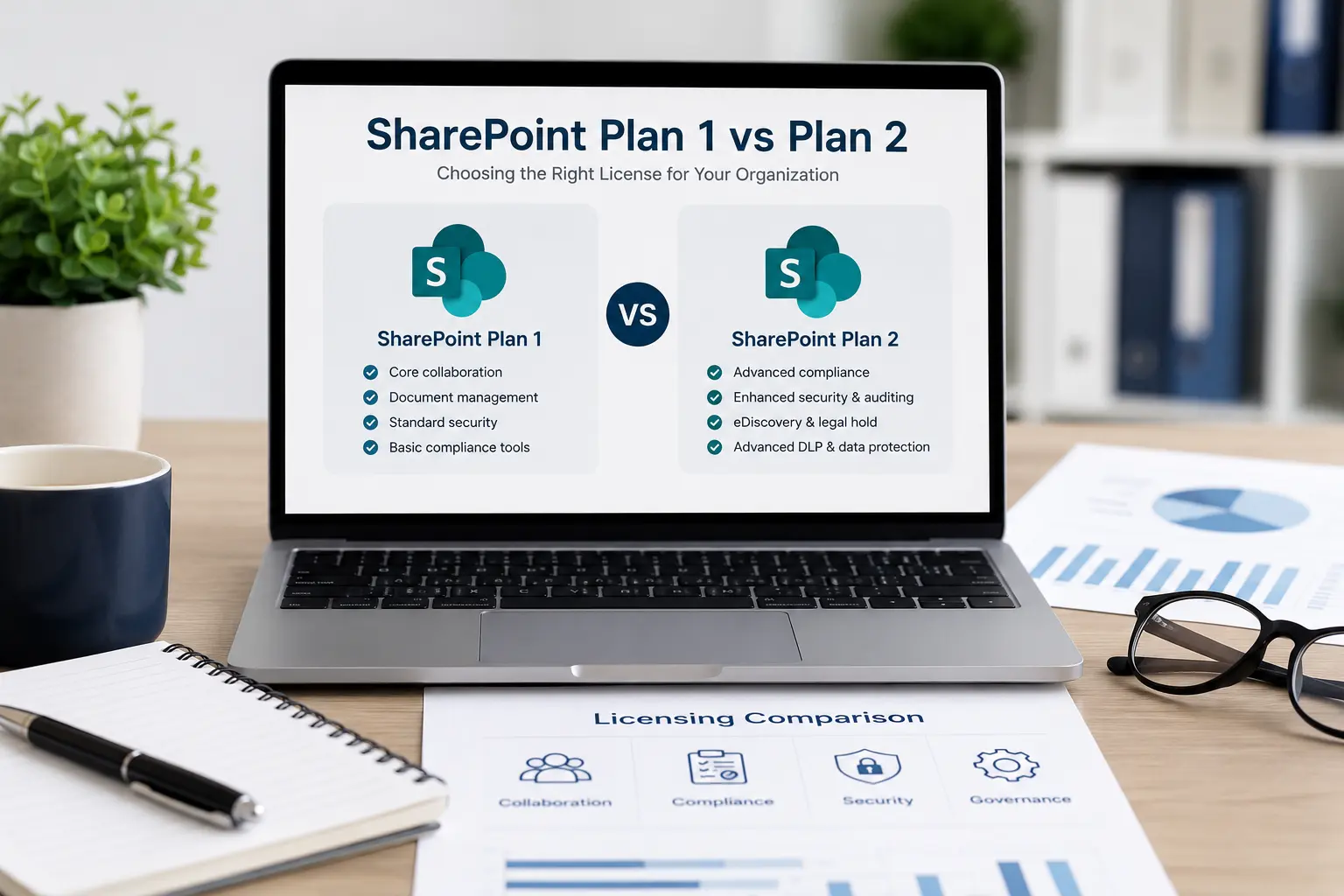
SharePoint Plan 1 vs. Plan 2 is a comparison that many organizations confront when formalizing their Microsoft 365 licensing strategy. On the surface, both plans provide access to SharePoint Online, document libraries, collaboration tools, and core site functionality. Yet beneath that shared foundation are meaningful differences in compliance controls, advanced capabilities, and long-term scalability. Understanding these distinctions prevents costly over-licensing or, just as problematic, under-licensing that creates compliance exposure later.
At a high level, SharePoint Plan 1 supports structured collaboration. SharePoint Plan 2 supports environments where compliance, auditing, and data governance are critical.
Feature Comparison
Feature
SharePoint Online
Document Libraries
Team & Communication Sites
Real-Time Co-Authoring
Microsoft Teams Integration
OneDrive Integration
Power Automate Integration
Standard Security & Compliance
Advanced eDiscovery
Legal Hold
Advanced Auditing
Advanced Data Loss Prevention (DLP)
Advanced Retention & Lifecycle Management
Best For
SharePoint Plan 1
✓
✓
✓
✓
✓
✓
✓
✓
—
—
—
—
—
Small to mid-sized organizations focused on collaboration
SharePoint Plan 2
✓
✓
✓
✓
✓
✓
✓
✓
✓
✓
✓
✓
✓
Organizations with advanced compliance, governance, and regulatory requirements
Core Capabilities Shared by Both Plans
Before examining the differences, it is important to clarify what SharePoint Plan 1 and Plan 2 have in common. Both licenses provide SharePoint Online for document management, team sites, communication sites, file sharing, co-authoring, and integration with the broader Microsoft 365 ecosystem. Users can collaborate in real time, create structured document libraries, apply metadata, and configure permission-based access. Both plans also support integration with Microsoft Teams, OneDrive, and Power Automate.
From a collaboration standpoint, day-to-day users often experience little visible difference between the two tiers. If your organization primarily uses SharePoint as a centralized document repository with standard governance controls, Plan 1 may appear sufficient.
Advanced Compliance and Governance Differences
The most significant distinction in the Plan 1 vs. Plan 2 comparison lies in compliance and information protection. Plan 2 includes advanced eDiscovery capabilities, legal hold functionality, advanced data loss prevention controls, and enhanced auditing features. These tools are particularly relevant for organizations operating in regulated industries such as healthcare, finance, government contracting, or defense.
Advanced eDiscovery allows legal teams to identify, preserve, review, and export content during litigation or regulatory investigations. Legal hold ensures that specific content cannot be permanently deleted, even if users attempt removal. Advanced auditing provides deeper visibility into file access, sharing, and administrative changes.
Many of these capabilities are delivered through Microsoft Purview and the broader Microsoft 365 compliance ecosystem. Access typically requires additional Microsoft 365 or Microsoft Purview licensing, not the SharePoint Plan 2 license alone. Plan 1 includes standard security and compliance tools but does not provide the same depth of investigative and preservation capabilities. For organizations subject to audits, subpoenas, or formal compliance frameworks, this distinction becomes critical.
Data Lifecycle Management and Retention Policies
Retention is another important consideration. Advanced retention, records management, and lifecycle policies are generally provided through Microsoft Purview and broader Microsoft 365 compliance licensing rather than SharePoint licensing alone. Plan 2 enhances lifecycle management with more granular controls and advanced retention capabilities, supporting automated enforcement of retention schedules across content types and site collections.
For organizations with document retention policies tied to statutory requirements, this offers stronger assurance that data is preserved or disposed of according to formal governance rules — reducing the risk of accidental deletion or retention beyond mandated timeframes, both of which can create financial or legal consequences.
Security and Risk Management Considerations
Both plans benefit from Microsoft’s enterprise-grade infrastructure, encryption, and baseline security architecture. However, Plan 2 enhances administrative visibility and oversight. Advanced auditing extends activity log retention and provides deeper granularity into user and administrator actions. For organizations that must demonstrate traceability during security reviews, this added transparency strengthens accountability. In environments where intellectual property, confidential contracts, or sensitive customer data reside in SharePoint, these enhanced controls can justify the incremental licensing cost.
Operational Scale and Growth Strategy
Another key factor is scale. Smaller organizations with limited compliance requirements often find Plan 1 adequate, and the cost savings can be meaningful across hundreds of users. However, growth introduces complexity. As organizations expand into new markets, pursue government contracts, or integrate additional data sources, compliance expectations increase.
A company that initially uses SharePoint for internal collaboration may later need advanced compliance capabilities as it enters a regulated industry. Retrofitting advanced governance into an environment initially designed for minimal oversight can be disruptive. Choosing Plan 2 early may prevent future migration or licensing restructuring challenges.
Automation and Integration Roadmaps
Both plans integrate with Power Automate and the broader Microsoft ecosystem, but the compliance infrastructure surrounding automated workflows differs. If your automation strategy involves sensitive data processing, approvals tied to contractual documents, or integration with regulated data sources, advanced auditing and retention controls become more valuable.
For example, a Power Automate workflow might route a contract through multiple approvers, apply metadata once approved, and automatically archive it according to retention policies. When workflows automatically move, modify, or archive documents, governance policies must follow the data. Plan 2 provides stronger assurance in that regard.
Cost Versus Risk Evaluation
Plan 1 is less expensive per user, making it attractive for cost-conscious deployments. However, licensing decisions should be framed in terms of total risk exposure rather than subscription price alone. If your organization faces even a moderate likelihood of legal discovery, regulatory audits, or internal compliance investigations, the additional cost of Plan 2 may be marginal compared to potential penalties or litigation expenses. Conversely, if your SharePoint deployment is limited to internal collaboration among non-regulated teams with minimal sensitive data, Plan 1 may align well with operational realities.
Avoiding the Template Licensing Mistake
Many organizations select a license based on industry assumptions rather than a structured evaluation — either overcompensating by purchasing Plan 2 universally, or under-licensing and later discovering gaps. It is also worth noting that many organizations already have SharePoint Online through existing Microsoft 365 subscriptions such as Business Premium, Microsoft 365 E3, or Microsoft 365 E5. In many cases, the decision is less about choosing a standalone SharePoint plan and more about understanding which capabilities are already included and whether additional licensing is needed.
At XferWorx, we approach licensing decisions through structured discovery — reviewing compliance requirements, retention policies, external sharing needs, migration plans, governance objectives, and automation goals before making recommendations. Our automation-first methodology evaluates current document storage needs alongside data visibility, integration points, and long-term scalability. This helps organizations align licensing with their operational requirements without paying for capabilities they don’t need.
Storage, Support, and Administrative Control
One often-overlooked area is how storage allocation, administrative oversight, and long-term operational control intersect. Both plans provide pooled SharePoint storage across the tenant. However, organizations with complex site architectures and data-heavy environments must think beyond baseline storage metrics. Growth in document libraries, version histories, and automated workflows can accelerate storage consumption more quickly than anticipated.
Administrative control also becomes more nuanced as environments mature. Larger deployments require tighter oversight of permission inheritance, external sharing configurations, and site provisioning standards. Plan 2 environments are typically paired with more advanced governance frameworks due to their compliance capabilities.
Making the Strategic Choice
There is no universal answer to the Plan 1 vs. Plan 2 question. Plan 1 supports efficient collaboration for organizations with straightforward governance requirements. Plan 2 supports environments where compliance, auditing, and lifecycle control are strategic priorities. If your organization handles regulated data, anticipates litigation exposure, or requires advanced auditing transparency, Plan 2 typically represents the prudent choice.
The most effective approach is to evaluate not only where your organization stands today, but where it intends to be in three to five years. Future compliance requirements, acquisitions, government contracts, retention mandates, or expanded automation initiatives can all influence the licensing capabilities your organization will need.
SharePoint Plan 1 and Plan 2 share a collaborative foundation but diverge meaningfully in governance depth, compliance tooling, and long-term risk mitigation. The right license is not about feature accumulation — it is about alignment between operational objectives and information management discipline.
If you are evaluating your SharePoint licensing strategy and want clarity grounded in your specific workflows, regulatory environment, and automation roadmap, contact us. We will assess your requirements, map your data landscape, and recommend a licensing structure that supports both performance and compliance without unnecessary cost.