
Quick Summary
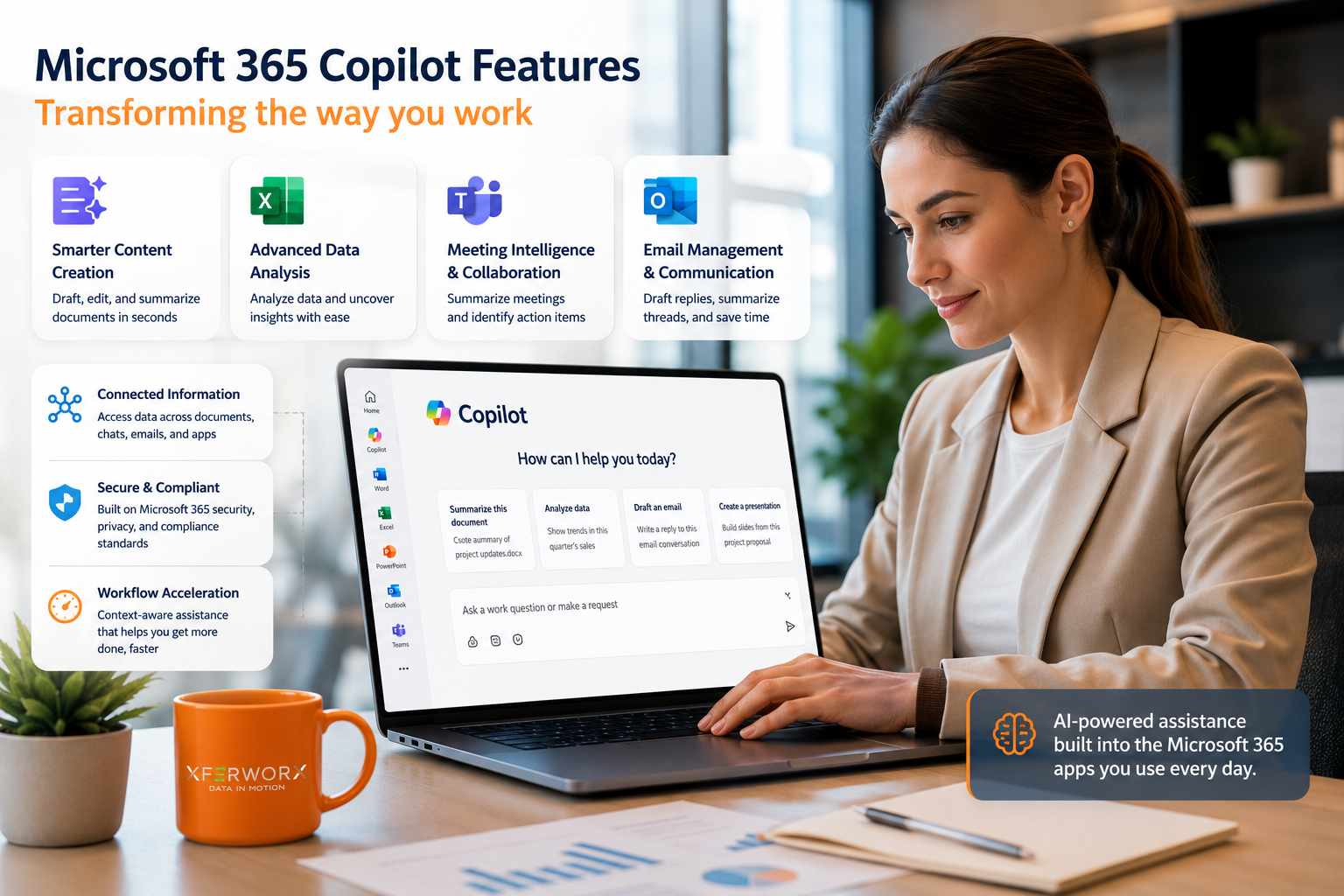
Microsoft 365 Copilot brings AI-driven assistance directly into everyday tools like Word, Excel, Teams, and Outlook. It helps reduce repetitive work, speeds up content creation, and improves how teams interact with data. Instead of switching between tools and manual processes, users can complete tasks faster with built-in intelligence. The result is a more efficient workflow with better visibility and less friction across systems.
Microsoft 365 copilot features are changing how work gets done across organizations. Rather than acting as a separate tool, Copilot operates within the applications your team already uses, offering context-aware support that speeds up execution and reduces manual effort. For businesses already invested in Microsoft 365, this represents a shift from basic productivity tools to a more intelligent, connected work environment.
At XferWorx, our SharePoint consulting services combine decades of Microsoft experience with automation-first solutions using tools like PowerShell and Azure, backed by a proven track record of 500+ successful projects.
Built-In AI Across Core Applications
One of the biggest strengths of Copilot is how deeply it is integrated into the Microsoft ecosystem. Instead of requiring new platforms or complex setups, it works directly inside familiar tools like Microsoft Word, Microsoft Excel, Microsoft Teams, and Microsoft Outlook.
This allows users to interact with data and content in real time. For example, a report in Word can be generated from existing documents, while Excel can analyze trends without requiring advanced formulas. Teams meetings can be summarized instantly, and Outlook can draft responses based on conversation context.
The advantage here is continuity. Work happens in one place, without constant switching between tools or manual data transfers.
Smarter Content Creation and Editing
Content creation often takes longer than expected, especially when starting from scratch. Copilot changes this by generating drafts based on prompts, existing files, or meeting notes.
In Word, users can create structured documents within seconds. Copilot can also refine tone, summarize long content, or expand key ideas into full sections. This is particularly useful for proposals, internal reports, and documentation.
In PowerPoint, Copilot can build presentations from a simple outline or a Word document. Instead of manually designing slides, users can focus on refining the message and visuals.
This does not replace human input. Instead, it accelerates the process and removes the friction of starting from a blank page.
Advanced Data Analysis in Excel
Data analysis is often a bottleneck for teams that lack deep technical expertise. Copilot simplifies this by allowing users to interact with data using natural language.
Instead of writing complex formulas, users can ask questions like:
- Identify trends in quarterly sales
- Highlight anomalies in expense reports
- Forecast future performance based on existing data
Copilot processes the data and returns insights, charts, or summaries. This reduces the time spent on manual calculations and makes data more accessible to non-technical users.
It also encourages better use of data across departments, since insights are easier to generate and understand.
Meeting Intelligence and Collaboration
Meetings are a major part of daily work, but they often result in lost information or unclear next steps. Copilot addresses this by capturing key points and turning them into actionable summaries.
In Teams, Copilot can:
- Generate meeting summaries
- Identify decisions and action items
- Provide context for missed meetings
This means team members no longer need to rely on manual note-taking or follow-up emails to stay aligned.
Collaboration also improves because everyone has access to the same structured information, reducing confusion and miscommunication.
Email Management and Communication
Email overload is a common issue in most organizations. Copilot helps manage this by drafting responses, summarizing threads, and highlighting key messages.
In Outlook, it can:
- Suggest replies based on conversation history
- Condense long email chains into quick summaries
- Adjust tone for different audiences
This reduces the time spent sorting through messages and helps maintain clear, consistent communication.
For teams dealing with high email volume, this can significantly improve daily productivity.
Connecting Data Across Systems
One of the more advanced aspects of Copilot is its ability to pull information from multiple sources within Microsoft 365. This includes documents, emails, chats, and databases.
Instead of manually searching across platforms, users can ask Copilot to retrieve relevant information and present it in a usable format. This improves data visibility and reduces time spent locating information.
For example, a user can request a summary of project updates, and Copilot can combine inputs from Teams conversations, shared documents, and email threads.
This level of integration supports faster decision-making and reduces reliance on fragmented data.
Workflow Acceleration Through Context Awareness
Copilot does not just perform tasks. It understands context. This means it can provide suggestions based on what you are working on, rather than requiring detailed instructions every time.
For instance, while drafting a document, Copilot can recommend additional sections or highlight missing information. During a meeting, it can identify action items based on conversation flow.
This context-aware approach helps users move faster and maintain consistency across tasks.
FAQs
What is Microsoft 365 Copilot used for?
It is used to assist with tasks like writing, data analysis, meeting summaries, and communication within Microsoft 365 applications.
Does Copilot replace manual work completely?
No. It reduces repetitive tasks and speeds up workflows, but human oversight and decision-making are still required.
Is Copilot useful for small teams?
Yes. Smaller teams can benefit from faster execution, improved organization, and better use of existing tools without needing additional resources.
Turn Copilot into Real Workflow Impact
Microsoft 365 Copilot is powerful, but real value comes from how it fits into your systems and workflows. At XferWorx, we help businesses connect Copilot with a well-structured SharePoint and Microsoft 365 environment so it actually delivers results. With experience dating back to 1995 and 500+ projects completed, our team builds solutions using PowerShell, Azure, and custom integrations to streamline operations and reduce manual work.
From automation and migration to ongoing support, we take full ownership of your environment and align it with how your team works. Start with a free consultation and get clear, practical direction tailored to your setup.